Software Installation
System Requirements
ICrobot-Scratch coding software supports 64-bit Windows operating systems.
Quick Installation
Download
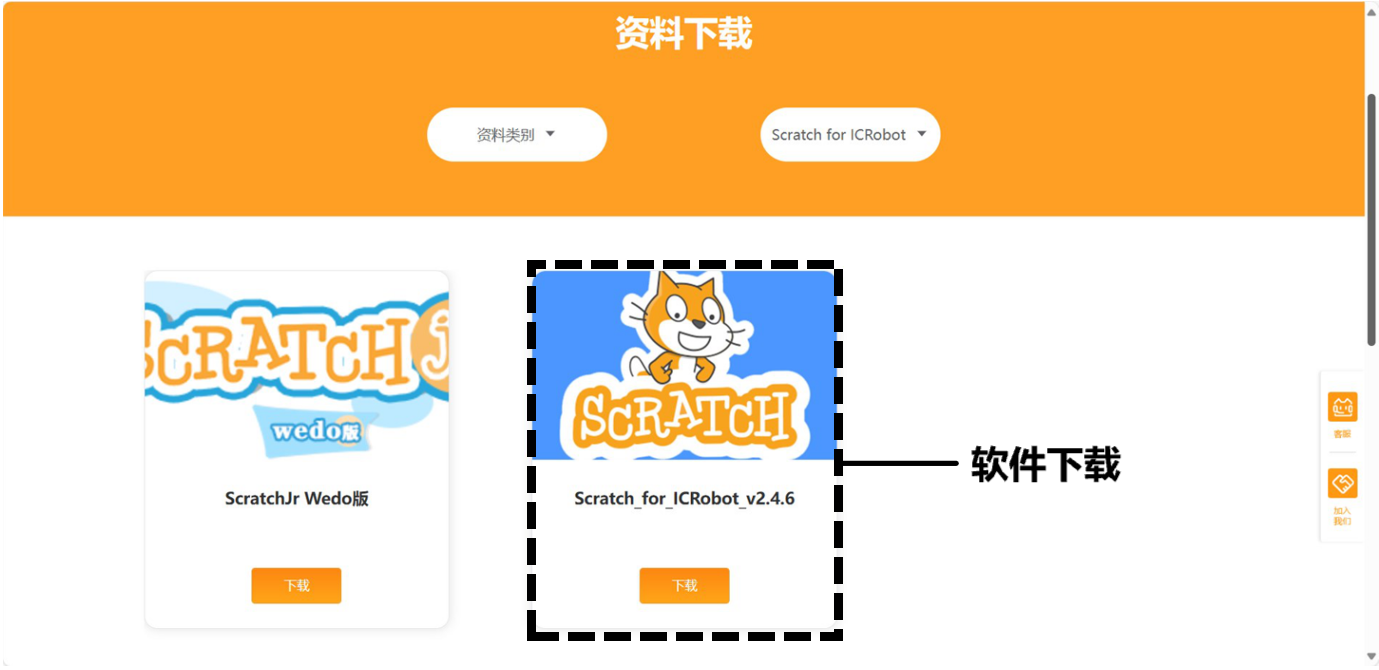
Click to download ICrobot-Scratch and save the coding software to your computer.
Windows System Installation Steps
Double-click the installation file and follow the installation wizard to correctly install ICrobot Scratch coding software. The steps are as follows:
|
|---|
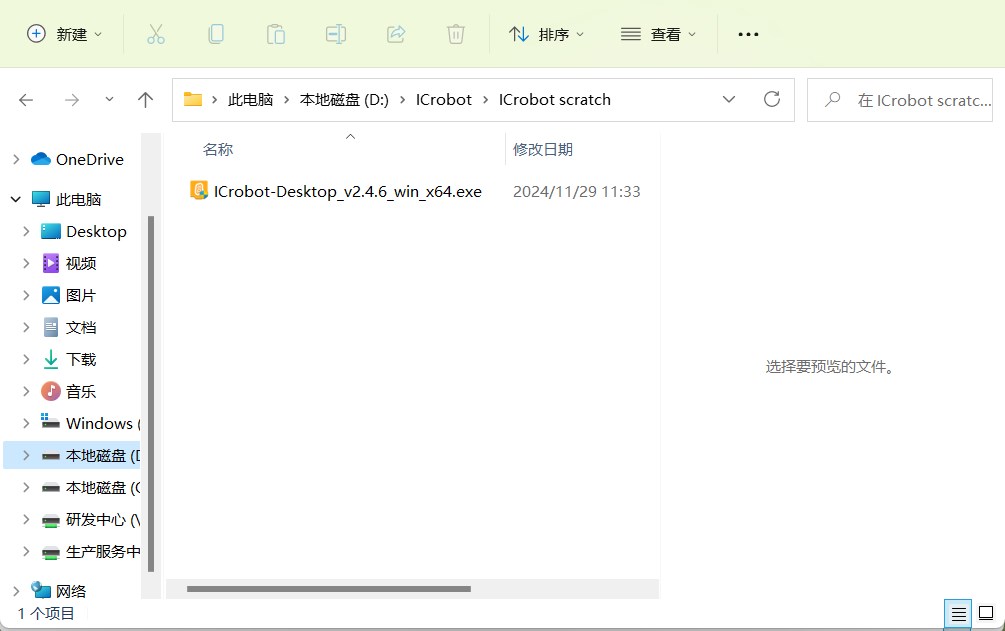
Step 1: Select and double-click the installation file |
|
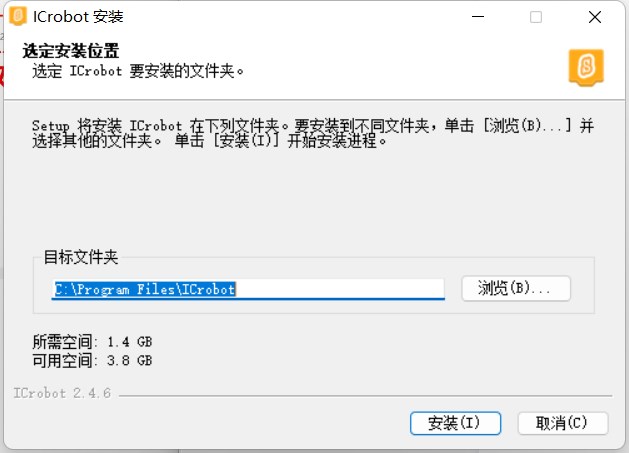
Step 2: Choose the software installation directory. It is recommended to select a disk other than the C drive (system disk)! |
|
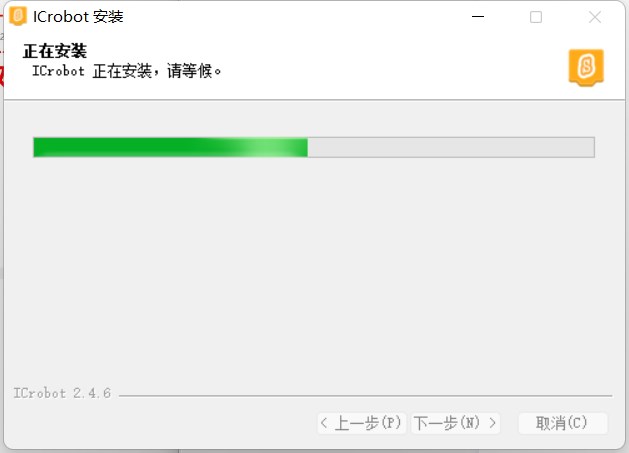
Step 3: Wait for the installation to complete. The time required will depend on the performance of your computer, so please be patient. |
|
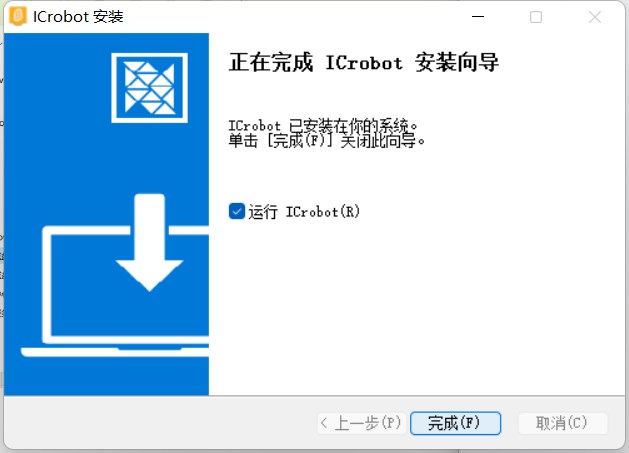
Step 4: Click “Run” and then “Finish.” The ICrobot-Scratch coding software is installed and will open. |
|
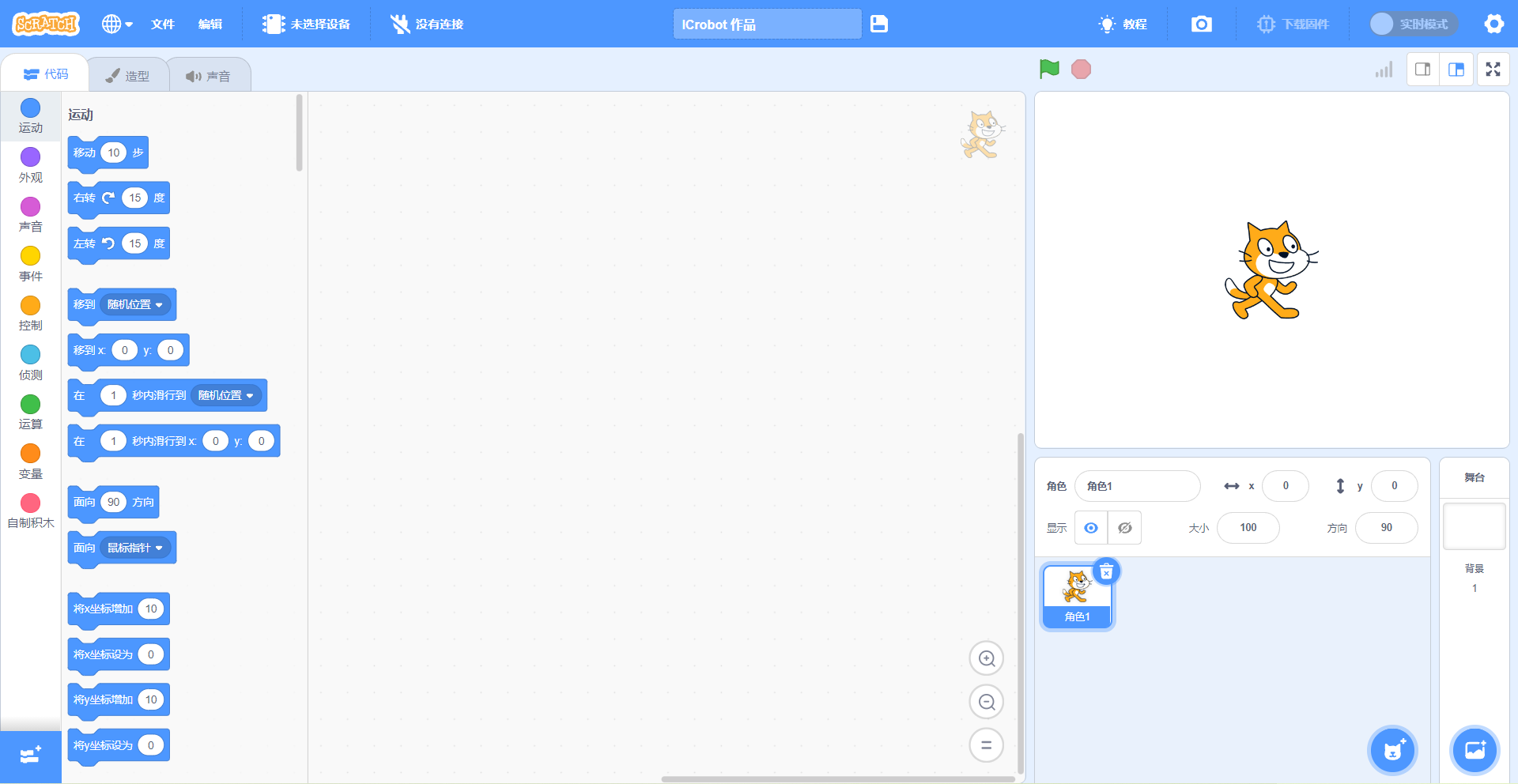
Step 5: Once the coding software opens, you will enter the coding interface. |