ICBricks Hub
Overview
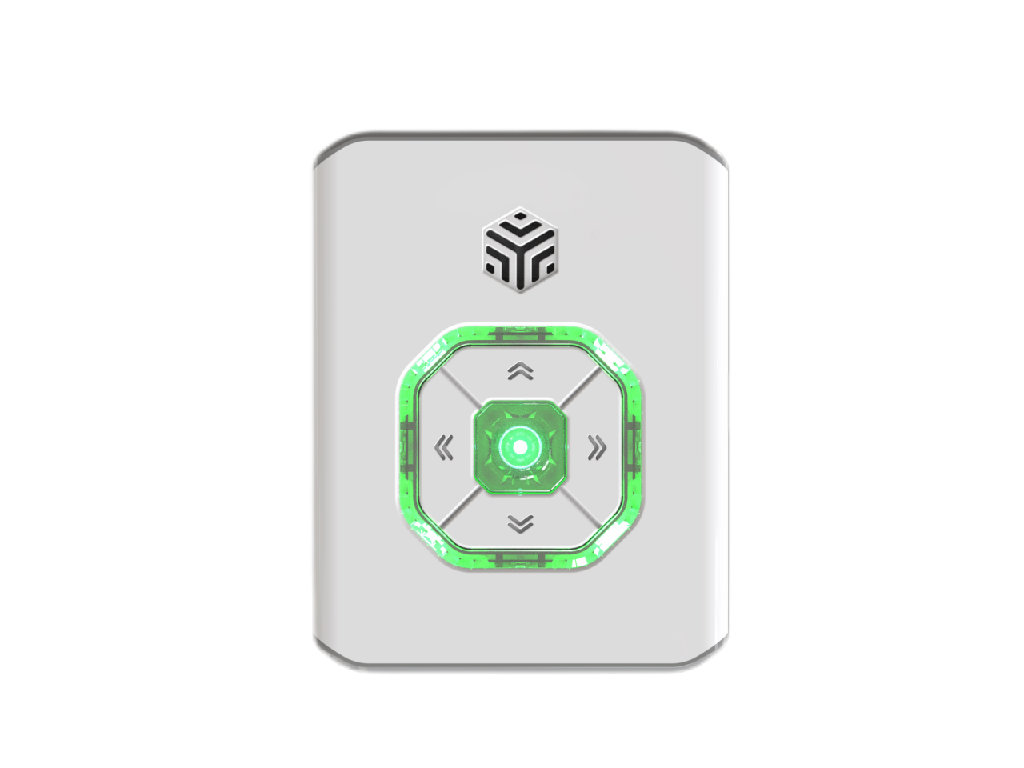
The ICBricks-V2.0 hub builds on the exceptional performance of its V1.0 predecessor, offering a comprehensive upgrade. It features a refined appearance, enhanced performance, compatibility with both new and legacy sensors, and an optimized user experience. Supporting multi-platform programming software, the V2.0 hub boasts significantly improved battery life, increased load capacity, and an intelligent status indicator design, enabling users to monitor the device’s state in real-time. ICBricks-V2.0 delivers an efficient and convenient control experience while expanding application scenarios to support creativity and learning exploration.
Structural
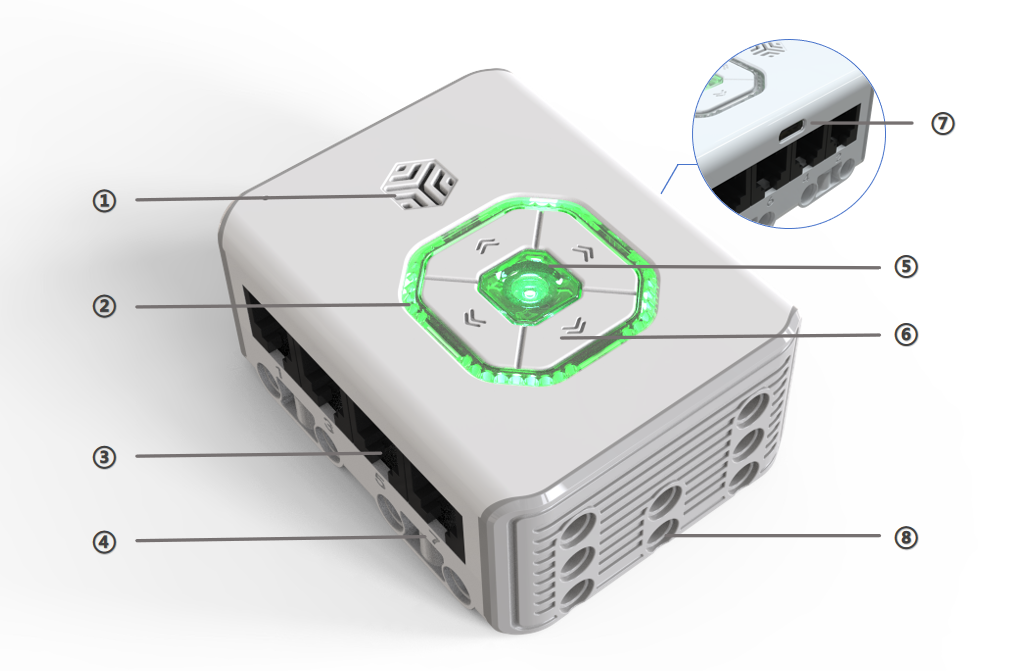
No. |
Name |
Description |
|---|---|---|
① |
** Speaker ** |
Emits notification sounds. |
② |
** Indicator Light ** |
Displays power status [1], and can also be used for programming control. |
③ |
**RJ11 Ports ** |
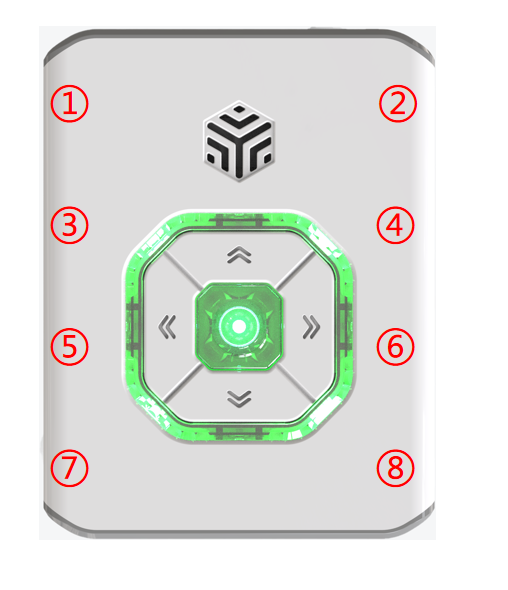
A total of 8 ports [2] located on both sides, emitting a notification sound upon device connection. |
④ |
** Port Numbers ** |
Each port is labeled with a unique identifier for easy recognition and use. |
⑤ |
** Power Button ** |
Press and hold for 2s to power on/off; features a breathing light for status indication [3]. |
⑥ |
** Function Buttons ** |
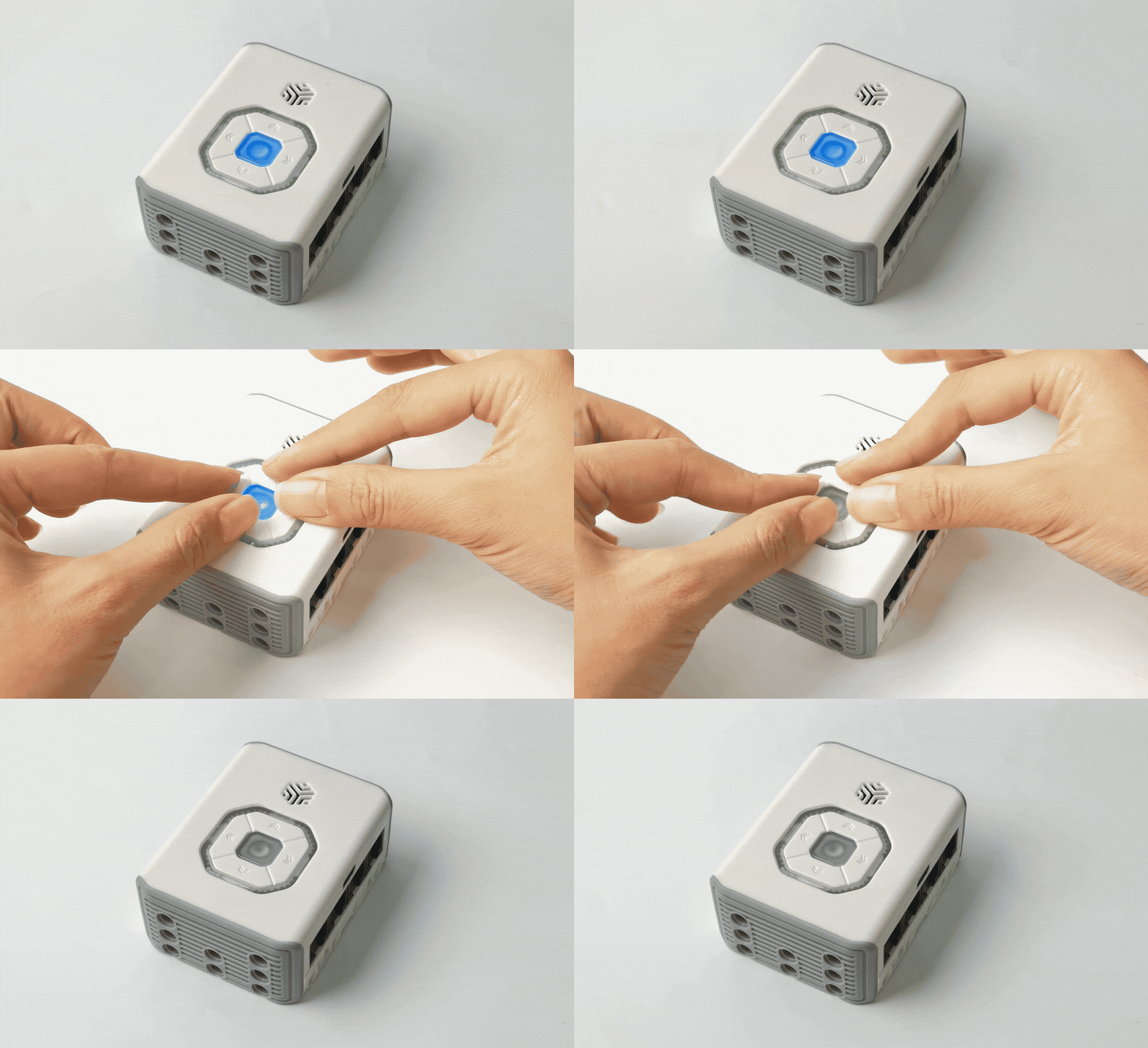
Used for direct and programmed control; pressing all 4 simultaneously forces shutdown [4]. |
⑦ |
** USB-C Port ** |
Enables charging, program downloading, and firmware updates. |
⑧ |
** Brick Building Holes ** |
Located on the sides and bottom, facilitating assembly and expanded applications. |
**Additional Notes: **
[1] Power Indicator: Displays remaining battery levels with different light colors. Automatic shutdown: Automatic shutdown when the main controller power drops to 1%.
|
||
|---|---|---|
≥50% |
50%~10% |
≤10% |

[2] Port Indicators: Refer to the location of each port.
[3]Power Button Status: Triple-click the Power Button to enter locally saved programs (no effect if no programs are saved). The breathing light indicates status:
Status |
Light Behavior |
|---|---|
Charging (off) |
During charging, the indicator is breathing and the color is current charge. When full, the indicator light is always on and the color is green. |
Powering on |
The current power indicator light is getting brighter and brighter. |
Normal operation |
The power indicator light is solid blue. |
Bluetooth connected |
The power indicator light is white and in a breathing state. |
Local program running |
The power indicator light is orange and in a breathing state. |
*Note: Current power color refers to the color rule of the indicator light.
[4]Forced Shutdown: Press all Function Buttons simultaneously to force shutdown.
Specifications
Item |
Description |
|---|---|
Name |
ICBricks Hub |
Code |
B0100009 |
Dimensions |
72 x 56 x 32 mm |
Weight |
106 g |
Material |
ABS |
Main Board/Chip |
ESP32 |
Connections |
USB-C / BLE / RJ11 |
Charging Input |
5 V⎓1 A |
Battery Capacity |
900 mAh(LiPo) |
Battery Life |
4 h |
Age |
6+ |
*Note: Data provided is based on laboratory testing and simulated usage scenarios. Actual battery life may vary.
Usage Introduction
The ICBricks hub offers four usage modes. Refer to the “Control Modes Introduction” for detailed instructions:
Mode |
Description |
|---|---|
** Direct Control ** |
Operate actuators connected to different ports using the directional buttons (up, down, left, right). |
** Logic Control ** |
Use sensors to directly control actuators without programming. |
** Programming Control ** |
Supports ICBricks programming software (mobile), ICrobot software (PC), and MicroBlocks software (PC). |
** Logic Restriction ** |
Disables all intelligent features of the device. |
##Firmware Upgrade For firmware upgrade instructions, click the link below: 👉 [Firmware Upgrade]